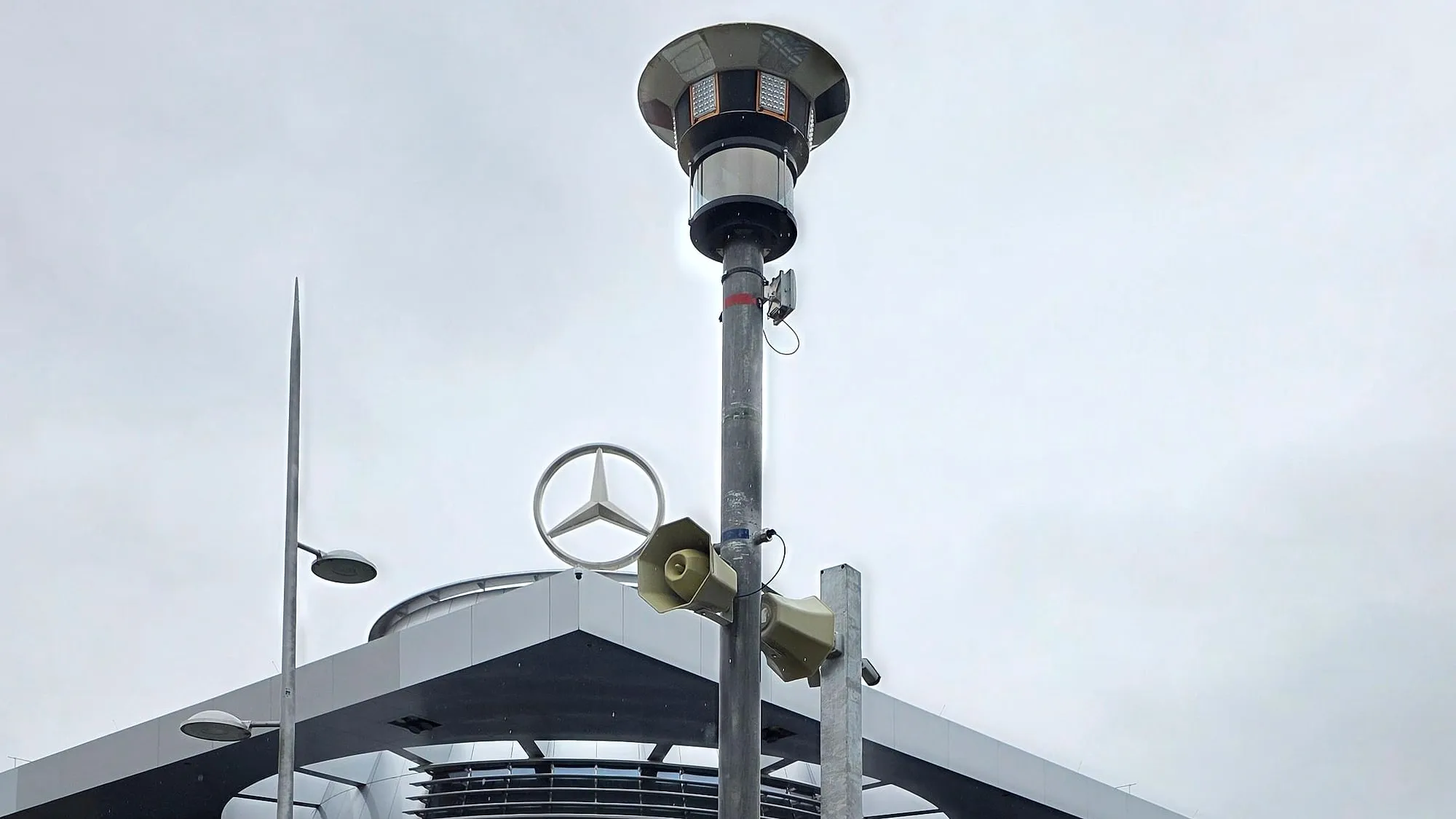
Corporate event
140 years of Mercedes-Benz
Stuttgart
A complete MOVETOS SET around the Mercedes-Benz Center – positioned to the organiser’s site plan, run from the mobile control room.
- visitors
- 10,000
- cameras
- 20
- BDS
- 10
- days
- 2


MOVETOS OPS · The digital security ecosystem
MOVETOS OPS does three jobs: you plan the safety equipment for your event – as an organiser, agency or safety planner. You connect and control the equipment. And you manage safety on site – in the control room, on a laptop and on a phone.
Viele Menschen auf einem Gelände. Wie voll ist es wo? Und wie erreicht man alle? Dafür gibt es MOVETOS OPS: Sicherheit für Veranstaltungen und Gelände – vom Plan bis zum Bericht. Zuerst wird geplant. Die App schlägt vor, wo Masten und BDS stehen, und rechnet, wie schnell alle draußen sind. Dann wird aufgebaut: mobile Masten mit Kameras und Lautsprechern, dazu Besucherdurchsagesysteme, kurz BDS. Die Bilder kommen per Funk in die Leitstelle. Im Betrieb zählt die App die Besucher und zeigt, wie voll es ist: frei, belebt, eng oder sehr eng. Wird es eng, warnt die App und schlägt die passende Durchsage vor. Der Mensch entscheidet. Die Durchsage kommt in mehreren Sprachen, genau im betroffenen Bereich. Leitstelle und Team sehen dieselbe Lage, auch auf dem Handy. So sieht man früh, wo es voll wird, und reagiert schneller. Die Räumung ist vorher geplant. Und alles steht mit Uhrzeit im Einsatztagebuch – als Nachweis für den Bericht. MOVETOS OPS. Sehen, verstehen, handeln. Sprechen wir über Ihr Gelände – buchen Sie einen Termin.
The digital security ecosystem
MOVETOS OPS is the ecosystem: the platform connects our mobile safety technology, your existing systems and selected partners, and controls everything from one interface. Use what exists, integrate what’s new.
Technology
Brings eyes, ears and voice onto the site – mobile, without cables or mains power.
Partners
An ecosystem with strong partners – for greater safety.
Service
Makes it work on the day – from planning to dismantling.
The platform
MOVETOS OPS
Integrate · Control · Automate
Artificial intelligence
AI works throughout MOVETOS OPS: it reads camera images, detects hazards, speaks announcements in five languages and plans your layout. Everything runs on hardware on site – no cloud and no video recording.
AI detects. The system suggests. A person approves.
Our own AI model counts heads in every camera image and calculates persons per m² from the measured ground area – as a heatmap on the map.
If someone enters a marked area – road, landing zone, fence line – the AI reports it with an evidence photo.
Suitcases, backpacks or bags with nobody nearby are marked in the live image and reported.
Falls, fights, panic, fire and weapons – in pilot operation with selected customers.
AI voices speak your announcement in five languages, your own text is translated – fully offline.
Image AI places the client’s drawing on the map, optimisation suggests masts, cameras and radio links, evacuation is calculated.
How the AI is built
What used to be individual devices becomes one system with MOVETOS OPS – for one event or many sites.
All components in one platform: masts, BDS, interrupt boxes, loudspeakers and cameras.
Simple, clear, event-driven – the most important first, no jargon.
Live data, history and key figures for every event and every site.
Logged in full and automatically – traceable for authorities and clients.
AI detects crowd density, people in restricted areas and unattended luggage; the system suggests a warning and announcement, a person approves.
Draw the area or overlay your site plan: MOVETOS OPS works out what you need and suggests where masts, cameras and loudspeakers are deployed. The result is the technical plan as a PDF – for organisers, agencies and safety planners.
MOVETOS SET, BDS and your existing cameras and loudspeakers in one interface: view camera images and play targeted announcements.
Live picture with crowd density, a warning with a prepared announcement, your team on the map – and afterwards the operations log and final report.
Planning in MOVETOS OPS is the start of working together – from then on, everything stays in one platform.
You, your agency or your safety planner plan in MOVETOS OPS. At the end it is clear what your site needs.
The technical plan is also the basis for our quote – with MOVETOS equipment, your existing systems or both.
Set-up follows the plan. During operations everything runs in MOVETOS OPS – with your team or with MOVETOS on site.
The final report shows what went well and what can be better next time – the basis for the next plan.
Plan your event
Draw the area or overlay your site plan, get a set-up suggestion for masts, cameras and loudspeakers, and take the technical plan away as a PDF. The view below is a schematic sketch.
MOVETOS OPS is in its test phase. We hand out access personally.
Prefer to talk? Call us: +49 8157 9036320
01 —
At the top, one sentence tells you whether everything is fine – and if not, where. Below it, the map with camera images in place and crowd density per area: free, busy, tight, very tight.
MOVETOS OPS measures how many people stand on how much space – in persons per square metre.
Nobody has to watch dozens of feeds. MOVETOS OPS turns images into a situation.
Out of the box, an area counts as busy from 1 person per m², tight from 2 and very tight from 3.5. If your safety concept sets other values, you enter them per area.
02 —
When an area reaches its limit, MOVETOS OPS reports it with an evidence photo and shows the spot on the map. The right announcement for exactly that area is already prepared.
With evidence photo, location on the map and a notification on the phone.
Text, languages and the loudspeakers in that area are prepared.
Your team decides: “Play” or “Not needed”.
In operation: crowd density, person in restricted area, unattended luggage.
In pilot operation: falls, fights, panic, fire, weapons.
Pilot features are used together with selected customers.
03 —
Announcements in German, English, French, Italian and Spanish – speech output and translation run on site, without internet. An announcement goes to the whole site, to a group of loudspeakers – such as one area or one entrance – or to a single device.
Consistent, approved, ready to use – plus your own text with translation, your own recording or speaking straight into the microphone.
An interrupt box integrates fairground rides, stages and other third-party sound systems: the music is interrupted for the safety announcement, which plays over the PA on site – for example at Stoppelmarkt Vechta.
In Hamm, four BDS units informed thousands of visitors within seconds as a storm approached.
04 —
Stewards, medics, security and technicians work from the same picture – the control room sees who is where and reaches exactly the right people. On the phone, no app store.
How it works
Each person gets an invitation link or scans a QR code and signs in with email or mobile number. They get a role – steward, security, medic, fire service, technician, section lead – and join their group automatically.
Whoever shares their location appears on the map, each group in its own colour and shape. The control room searches for a person by name or role and jumps to them.
Tap a person on the map and choose “Message” to them or their whole group. There is also team chat, groups and direct messages – with text, voice messages and photos.
An “@” before a name turns a message into a request: the person gets a notification and sees “Request for you”. A tick reaction confirms it without typing.
Photos from the team appear as a tile on the map at the place they were taken; one tap opens the conversation right there. Observations can be reported directly as a warning.
If someone leaves the site, the app reports it in their group automatically. Until they return, they count as unavailable and are not messaged.
When the mobile network is overloaded at large events, control continues over the local network on site: situation, messages, requests and locations still reach your team.
Each person shares their location themselves; a shared location is deleted no later than 40 minutes after the last update.
05 —
Arrange situation, announcements and messages freely on the monitor, camera wall with “most important first”. And where a control centre already exists, the live picture runs there.
Many cameras at a glance, the most notable first.
At the UCI Cycling Worlds in the Tyrol control centre, at Munich Airport in the security control centre.
Draw areas such as roads, landing zones or fence lines – anyone entering is reported.
06 —
Draw the area or overlay your site plan as a PDF: MOVETOS OPS creates a layout suggestion showing where masts, cameras, loudspeakers and the control room are deployed – with radio links around buildings. You review and adjust a finished suggestion instead of starting from scratch. The result is the technical plan as a PDF: traceable for authorities and clients, one building block of your safety concept.
Generated from area, entrances and stage. With a budget, the recommendation stays visible – whatever is missing is shown openly in the technical plan.
MOVETOS OPS suggests emergency exits, calculates evacuation time and checks widths against German venue regulations.
Organisers, agencies, safety planners and planning offices plan in MOVETOS OPS themselves – or MOVETOS plans for you.
In development: barriers – site fencing, crowd barriers and entry lanes with parts list and set-up notes in the technical plan.
07 —
During operations MOVETOS OPS logs every warning, approval, announcement and report with time and evidence. On top come two documents: the technical plan before, the final report after. MOVETOS OPS creates all three automatically, with no extra work.
As a PDF from your planning: site plan, equipment, emergency exits and evacuation – one building block of your safety concept, not a replacement for it.
Warnings, approvals, announcements and reports with timestamps and evidence photos – it writes itself.
As a PDF for clients and authorities: overall verdict, assessment with recommendations for next time, density over time per area, warnings with response times, announcements and team chat. Raw data as Excel.
08 —
The system’s analytics show when and where it was crowded, how quickly an area filled up and where the bottlenecks were. Use them to plan layout, entry and staffing for next time.
Density over time, peak times and warnings across the whole event.
Evacuation time and bottleneck already in planning – and simulated on the map during operation.
“With this technology we can plan our staff much better next time.” – fair manager, Stoppelmarkt Vechta
09 —
MOVETOS OPS comes with MOVETOS SET and BDS, but also without our hardware: as a service (SaaS) for your existing cameras and loudspeakers.
No server installation of your own – for organisers, operators and planners.
For operators whose data should not leave the building.
Existing cameras and loudspeakers are integrated; further third-party systems on request.
Event planning · Parking
Many visitors arrive by car – tailbacks on the access road are often the first safety problem. MOVETOS OPS plans parking next to the event, shows how full the areas are during operation and helps guide arrival and departure.
PlanNew
MonitorNew
ControlNew
Expertise
All articlesCompliance
Venue regulations, permit conditions, HSE requirements, plant security rules: everything has to be documented and provable. With MOVETOS OPS documentation runs automatically – every measure, every warning, every decision is logged in full. Checksums and timestamps make any later change visible.
Before
During
After
Who relies on the records
MOVETOS supports planning and operation along these standards and regulations.
Only figures without personal reference are stored – and an evidence photo when there is a warning. It is deleted three months after the event.
The system suggests a warning and announcement, your team decides. Automatic announcements are switched off by default.
With an on-site server, live picture, warnings and announcements keep running if the internet fails – and the team stays reachable over the local network even when mobile networks are overloaded.
Warnings, approvals, announcements and reports are in the operations log with time and evidence.
As a service or on your own server – your choice.
Corporate event
Stuttgart
A complete MOVETOS SET around the Mercedes-Benz Center – positioned to the organiser’s site plan, run from the mobile control room.

Sports event
Innsbruck
Entire city centre without cables, linked to the Tyrol control centre.
„Security has never been this simple and reliable.“
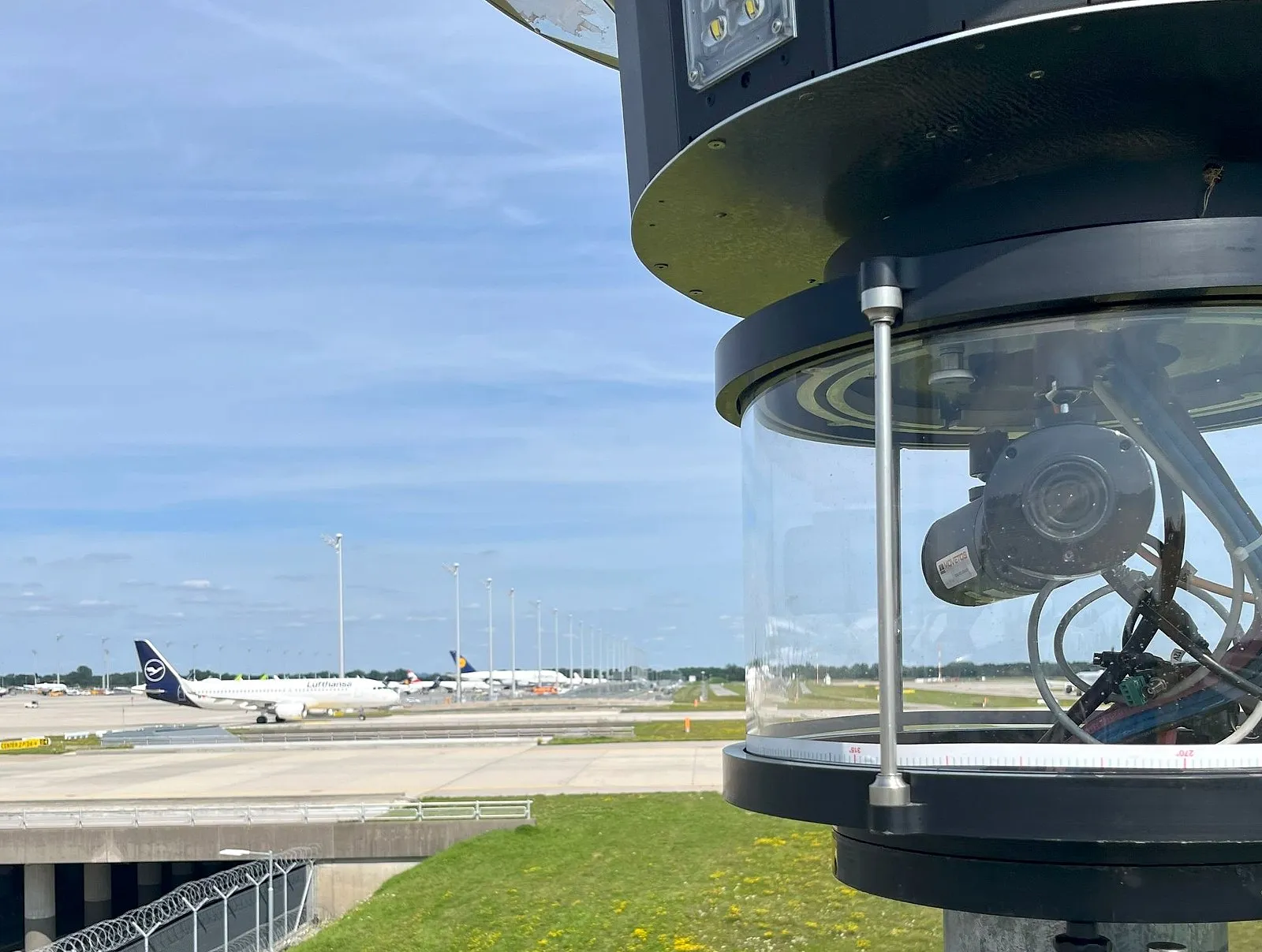
Critical infrastructure
München
Linked to the security control centre, data transmission across the entire airfield.
„Operational in two days – we never thought that possible, with data transmission across the entire airfield.“
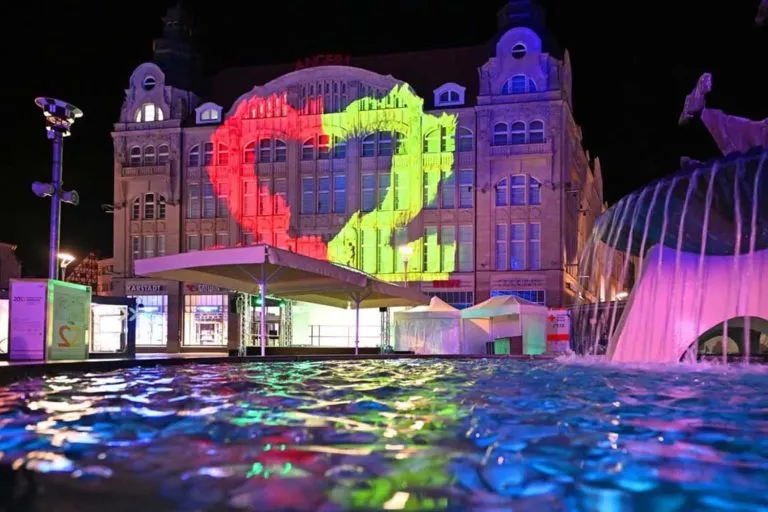
City festival
Erfurt
Entire city centre without cables.
„Central event control had the situation in view at all times.“
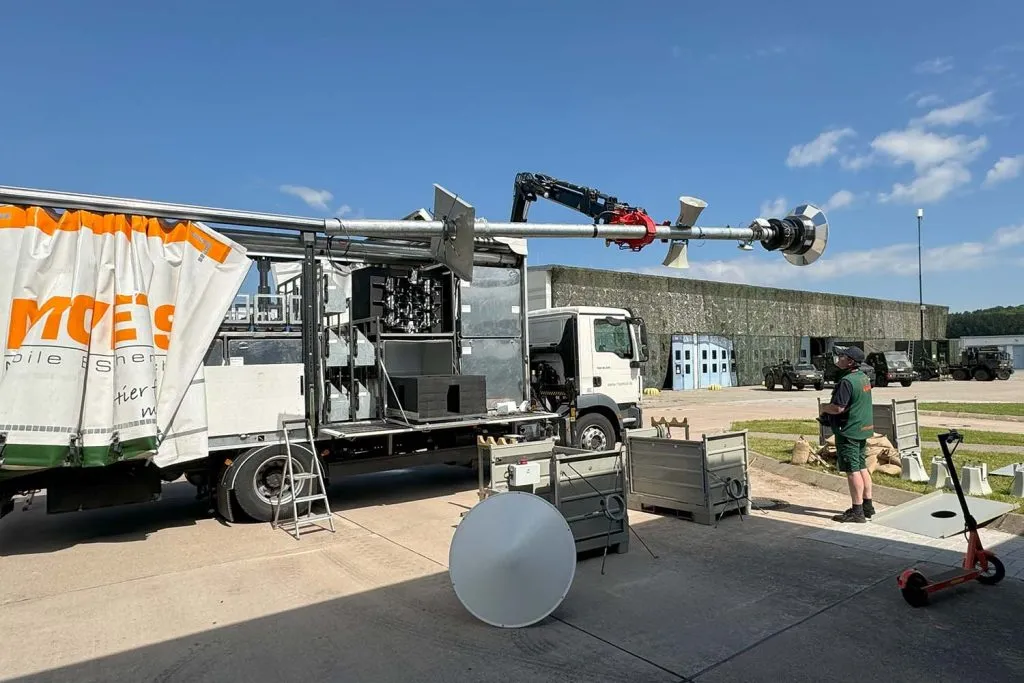
Critical infrastructure
Weiden · Lage · Munster
Safety – for professionals too. Up to 15 sites and 45 ha of barracks without cables.
„We have never had such a good view of the critical site as we do now.“
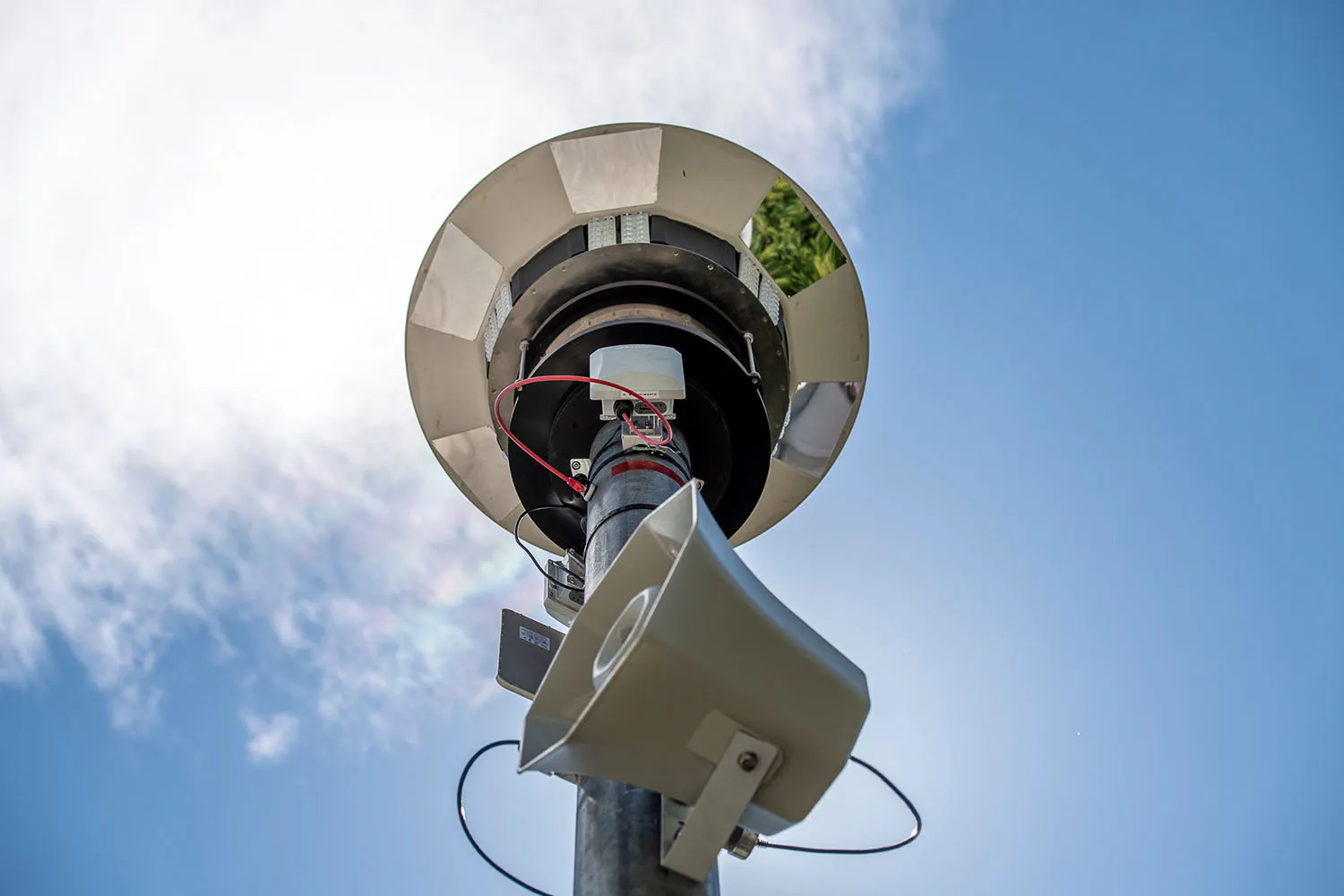
Corporate event
Event run safely despite 15 % staff shortfall on the day.
„Safety at this technical level is convincing.“
The MOVETOS platform for three jobs: planning safety equipment, connecting and controlling it, and managing safety on site – with live picture, warnings, announcements, team messages and records in one interface, for control room, laptop and phone.
Yes. You request access (MOVETOS OPS is in its test phase), we set it up personally, and you plan yourself. Agencies and safety planners plan for their clients the same way.
Location and area – ideally your site plan as a PDF –, dates, expected visitor numbers, entrances and stages. You add everything else step by step.
Yes. MOVETOS OPS is also available as a service (SaaS) for your existing cameras and loudspeakers. Further third-party systems on request.
No – it provides one building block. Your planning produces the technical plan as a PDF with site plan, equipment, emergency exits and evacuation; exit widths are checked against German venue regulations. You or your safety planner write the safety concept itself, and approval rests with the authority.
No. Set-up guides you step by step, and the interface avoids jargon.
Via invitation link or QR code – in the browser or as an app on the home screen, no app store.
No. The platform measures how dense an area is and does not record video. When there is a warning, an evidence photo is stored and deleted three months after the event.
Not by default. The system suggests, a person approves: when there is a warning, MOVETOS OPS prepares the right announcement and your team decides with “Play” or “Not needed”.
On site, yes, with a local server – for example in the mobile control room: live picture, warnings and announcements in five languages keep running on site. If the mobile network is overloaded, the control room reaches its team over the local network. Planning needs internet.
During operations MOVETOS OPS logs warnings, approvals, announcements and reports with time and evidence in the operations log. The final report is created automatically as a PDF – with overall verdict, assessment and recommendations, density over time, warnings with response times and announcements; raw data comes as Excel. It can already be downloaded while operations are running. Everything goes into a log in which every entry secures the previous one with a checksum; changes are appended, never overwritten. Every report gets a checksum and a timestamp from an independent service – whoever receives it can check on the MOVETOS OPS verification page that it is unchanged.
Yes. You draw the parking area, MOVETOS OPS lays out spaces, ring road and access points and shows how many cars fit, whether it is enough and whether traffic backs up onto the road. New: during operation MOVETOS OPS shows occupancy live.
Yes. The live picture ran, for example, in the Tyrol control centre (UCI Cycling Worlds) and in the security control centre at Munich Airport.
Yes. The MOVETOS SET includes the mobile control room (OCC) with its own infrastructure. Where only BDS units are used, the compact control unit (EAP) takes over this role.
We set up your access and show you in 30 minutes how to plan your site with MOVETOS OPS.
Or call us: +49 8157 9036320